Manual, API & CSV Trade Logging
With Psychological Tags
Manual, API & CSV Trade Logging
Psychological Tags Ke Sath
Built for all types of traders — whether you log trades manually, sync automatically via broker APIs, or import CSV files. Audit setups, track emotions, attach before & after technical screenshots, and record video walkthroughs. Sabhi types ke traders ke liye perfect — chaye aap manual log karein, broker APIs se auto-sync karein, ya CSV files import karein. Setups audit karein, emotions track karein, before & after charts attach karein aur video walkthroughs record karein.
Interactive Trade Logging LifecycleInteractive Trade Logging Lifecycle
Click through the 10 steps below to experience how our trade entry workflow guides you through pre-trade planning, sizing, chart annotations, and video reviews. Niche 10 steps par click karke dekhein ki hamara trade entry workflow aapko planning, sizing, annotations aur video reviews me kaise guide karta hai.
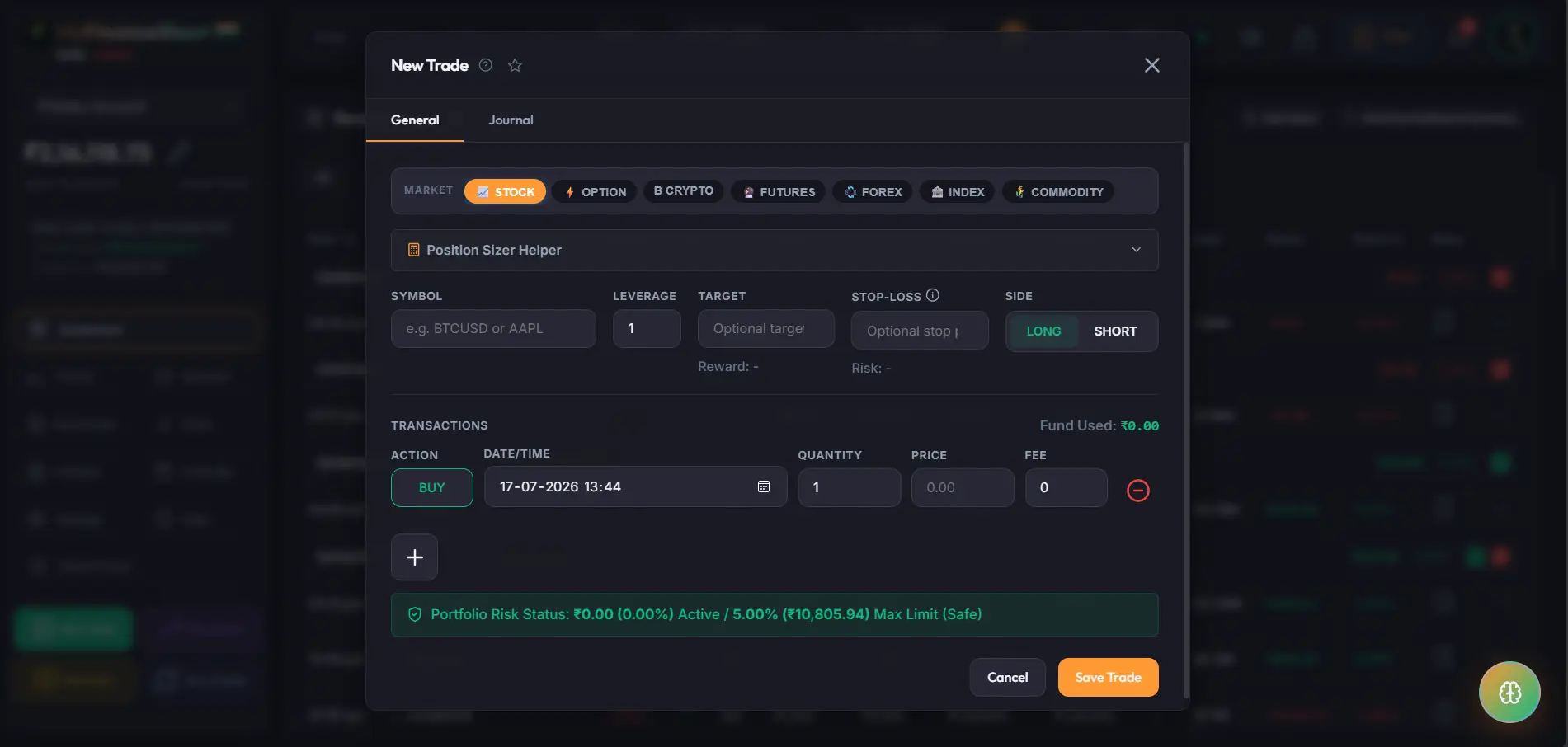
1. Default Entry PanelDefault Entry Panel
Start by selecting your broker account and core parameters. Pick asset class (Equities, Options, Futures), direction (Buy/Sell), entry price, and dates easily. Apne broker account select karke aur core details log karke shuru karein. Asset type (Equities, Options, Futures), direction (Buy/Sell), entry price aur dates set karein.
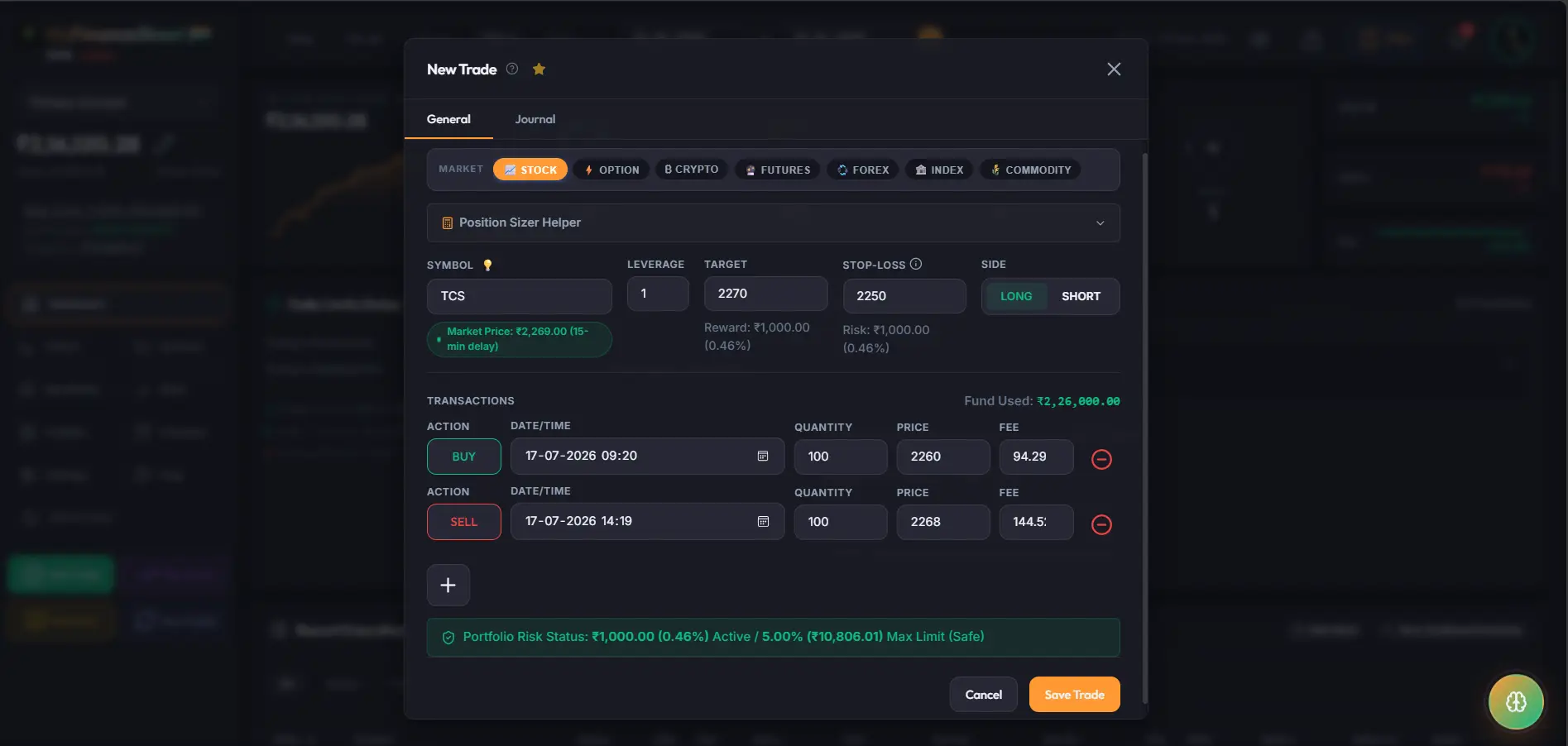
2. New Trade Entry WindowNew Trade Entry Window
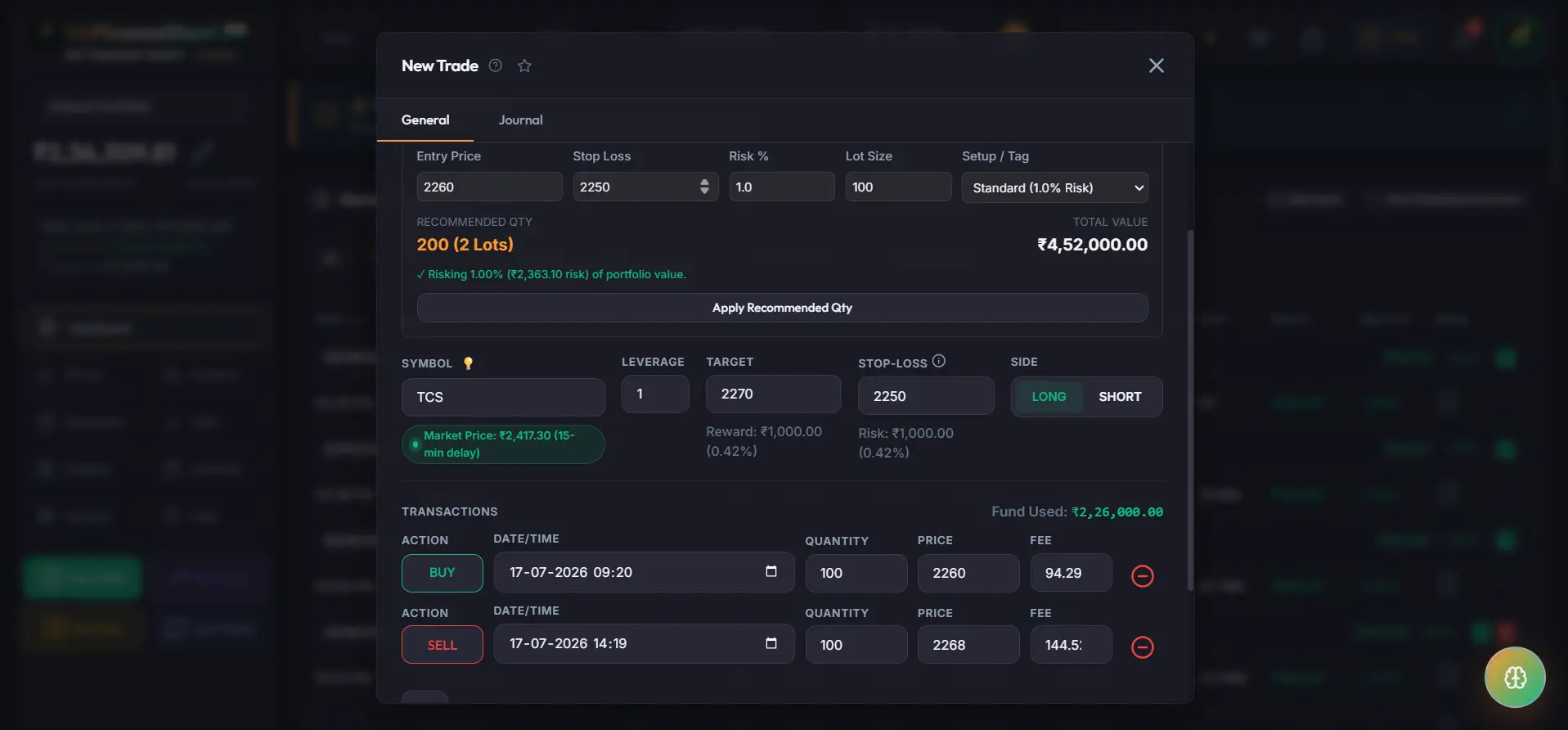
Input detailed execution parameters: strike price, option expiry, contract multiplier, stop loss level, target profit, and transaction line items. Detailed execution parameters enter karein: strike price, option expiry, contract multiplier, stop loss level, target profit aur transaction line items.
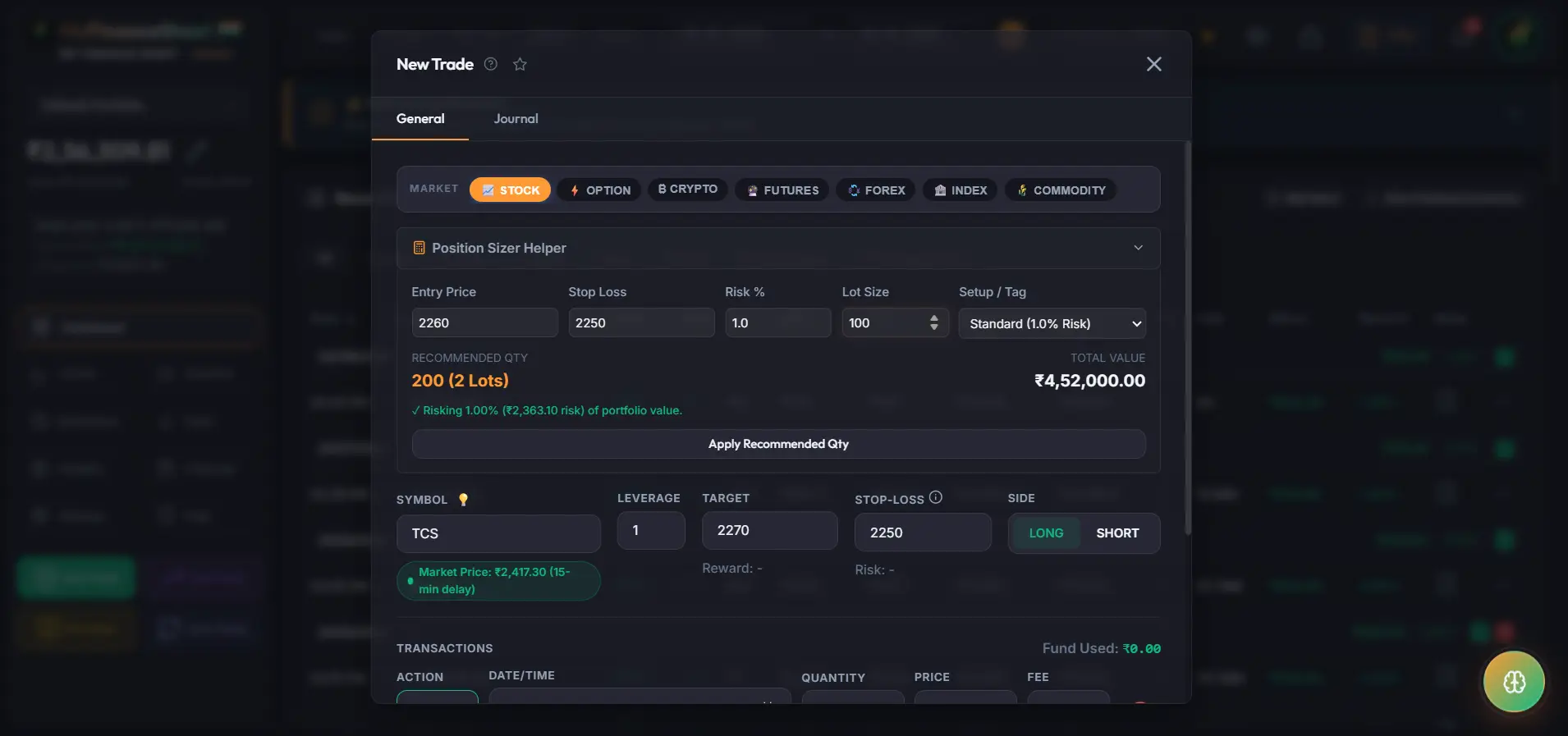
3. Position Sizing HelperPosition Sizing Helper
Calculate position sizes dynamically based on risk parameters (e.g. 1% or 2% of total capital) and stop-loss levels to calculate exact recommended contract quantity. Position sizes dynamically calculate karein. Apne risk % (1% ya 2%) aur stop-loss level enter karke recommended quantity calculate karein.
4. One-Click Auto-ApplyOne-Click Auto-Apply
Eliminate manual typing errors. Click the "Apply Recommended Qty" button, and the system auto-fills the calculated quantity into the trade fields instantly. Koi manual typing errors nahi. "Apply Recommended Qty" button click karein, aur system automatically quantity fills kar dega.
5. Fundamental Bulb AlertsFundamental Bulb Alerts
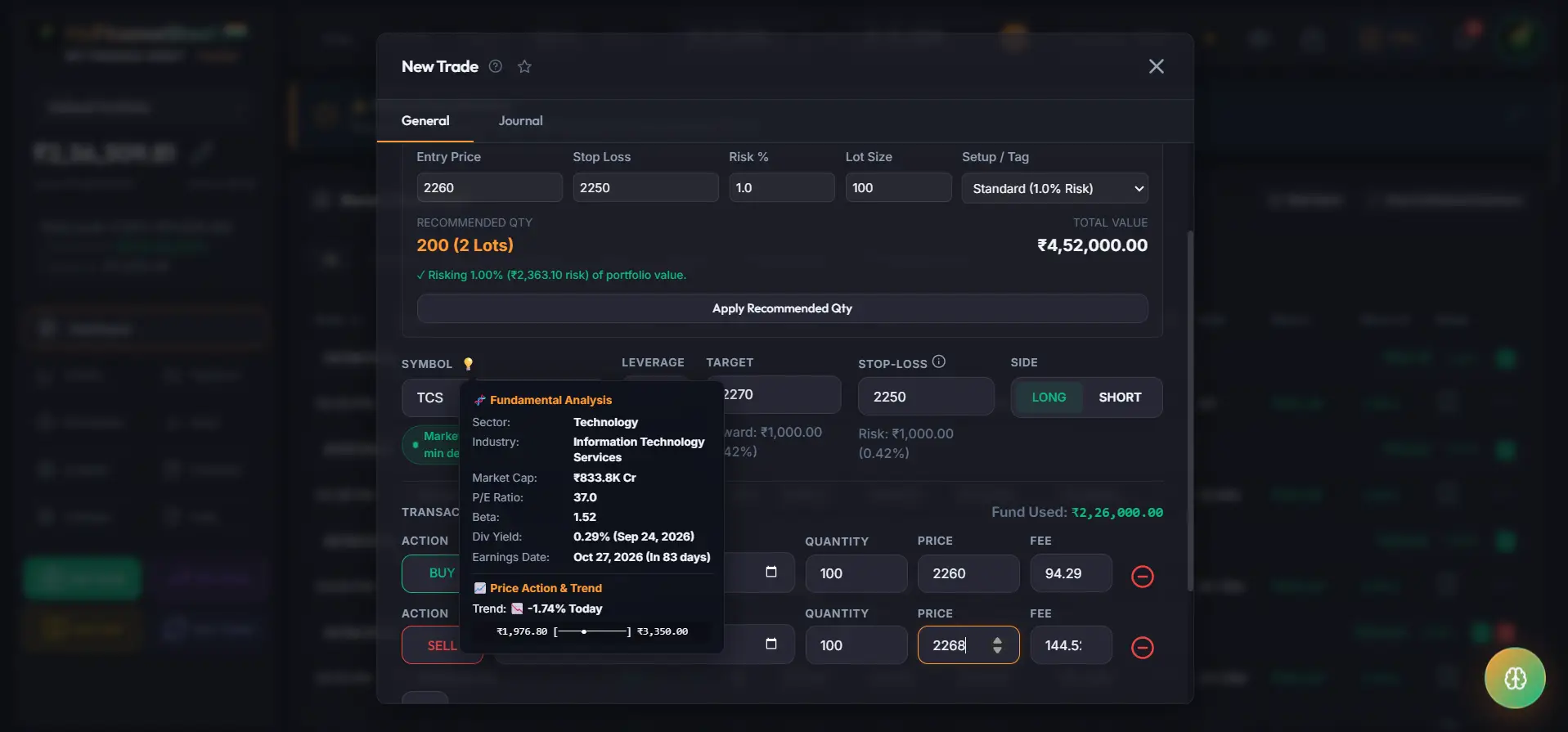
Hover over the lightbulb icon next to the symbol field to view fundamental diagnostic stats, earnings dates, and warning alerts before entering a position. Symbol के pass lightbulb icon par hover karein taaki aap stock warning alerts aur fundamental diagnostic stats check kar sakein.
6. Tags & ScreenshotsTags & Screenshots
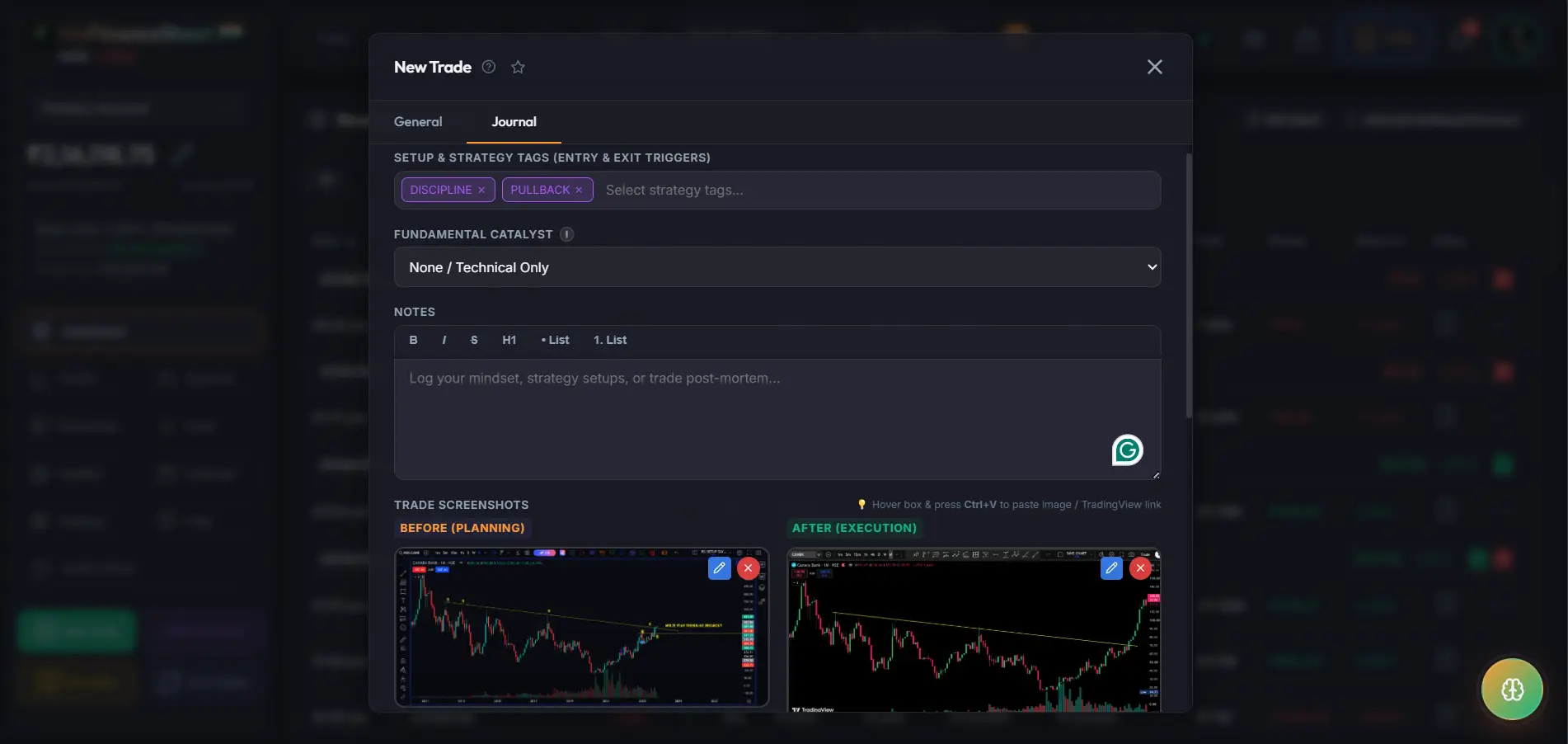
Tag psychological mindsets (#FOMO, #RevengeTrading, #Disciplined) and upload technical charts for Before (Planning) and After (Execution) states. Psychological states (#FOMO, #Disciplined) tag karein aur Before (Planning) & After (Execution) technical charts upload karein.
7. Chart AnnotationsChart Annotations
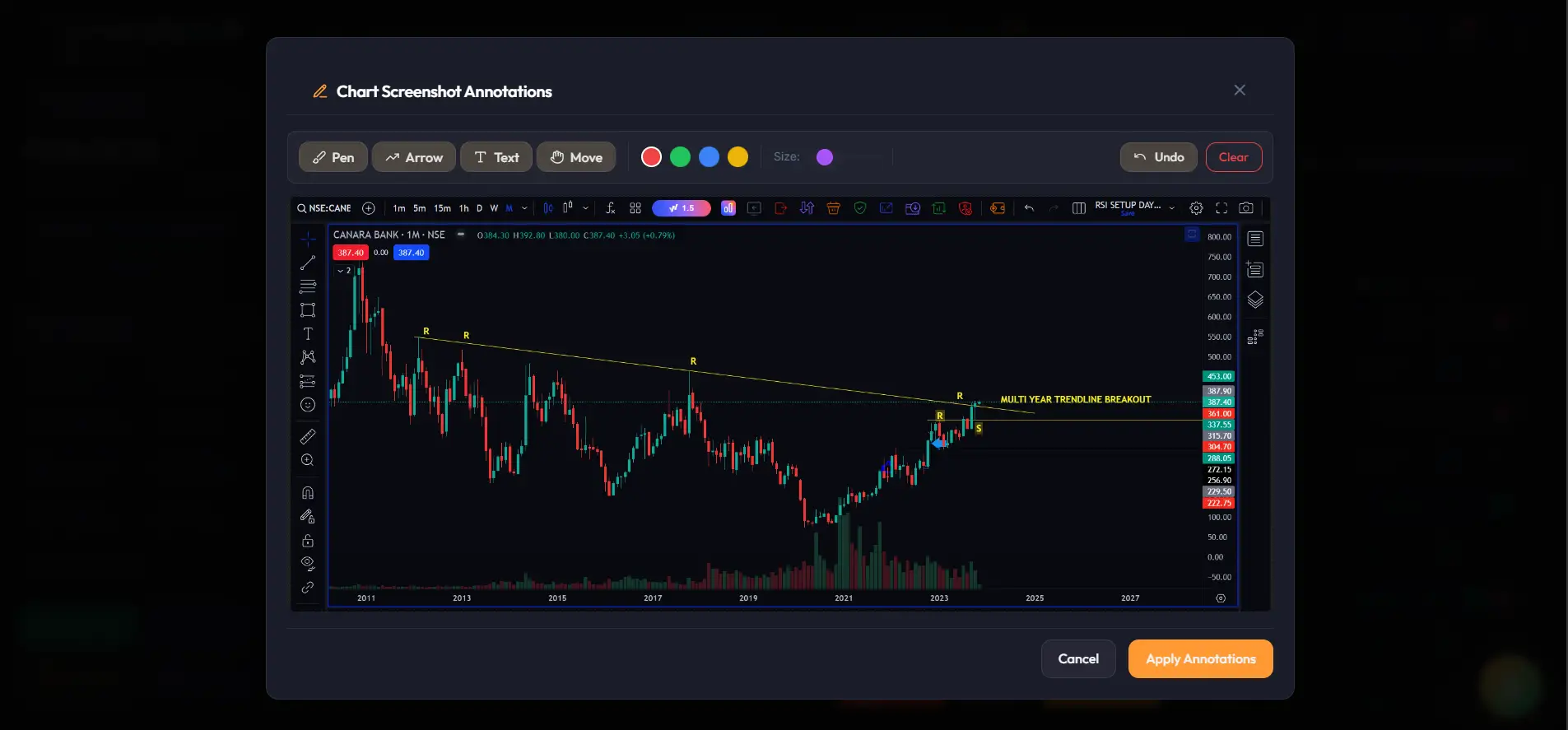
Draw technical annotations directly on uploaded charts: place trendlines, arrows, text callouts, and support/resistance markers using our built-in markup tool. Uploaded charts par technical annotations draw karein: built-in markup tool se arrows, text notes aur key levels mark karein.
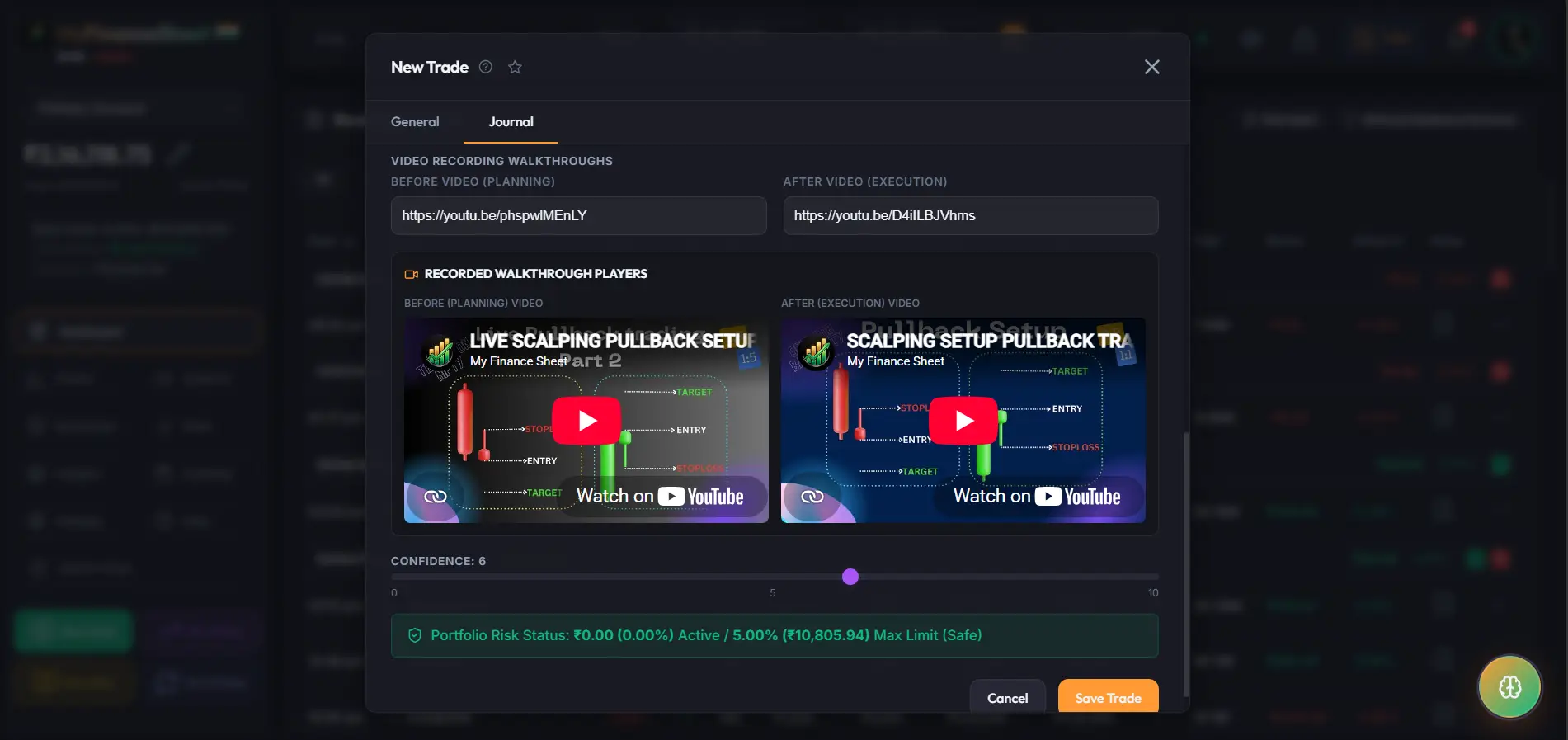
8. Video Recording LinksVideo Recording Links
Attach YouTube or Loom video recording links for Before (Planning) and After (Execution) video walkthroughs right inside the trade window. Before (Planning) aur After (Execution) video walkthroughs ke YouTube/Loom links trade window me save karein.
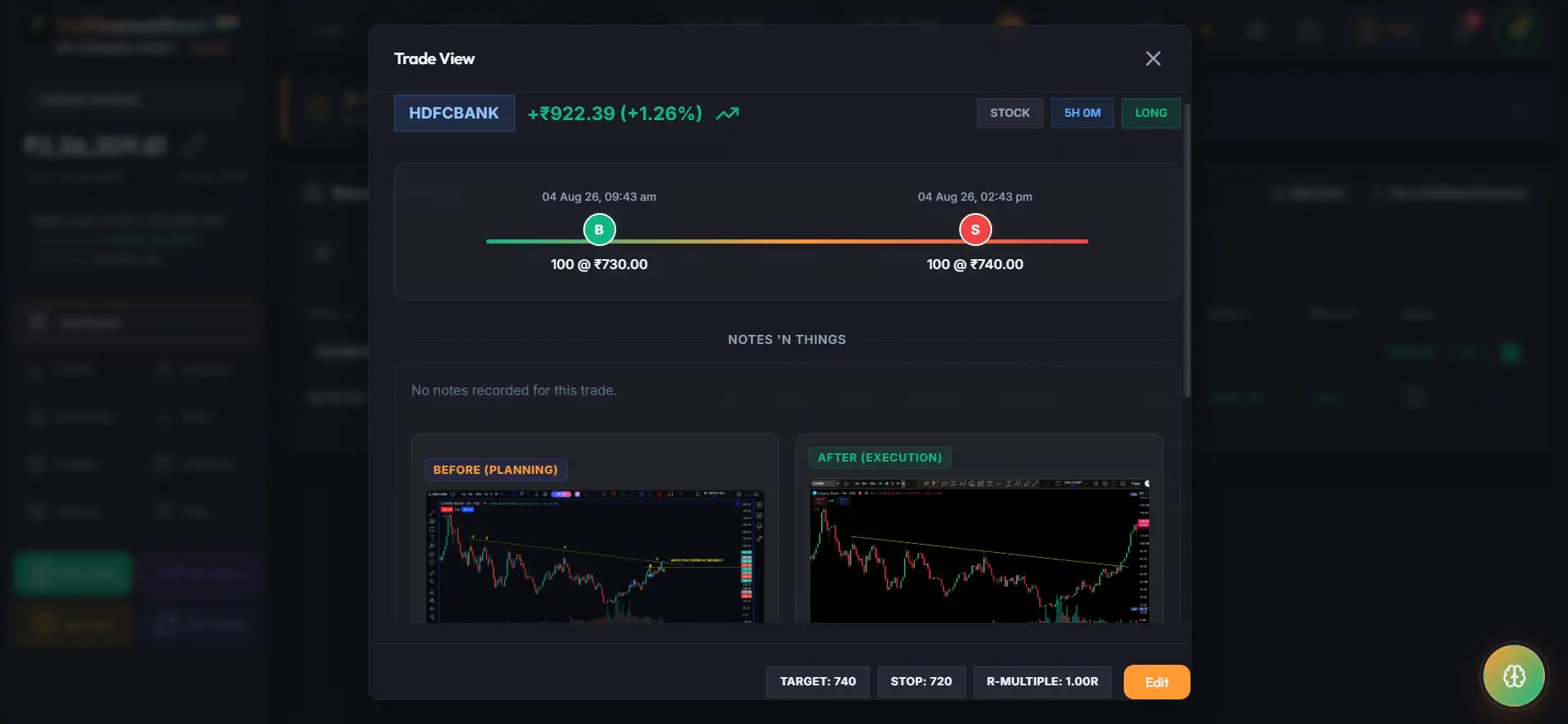
9. Trade View & LightboxTrade View & Lightbox
Open the dedicated Trade View window to review trade timelines, risk multiples, notes, and zoom into high-resolution chart screenshots side-by-side. Trade View modal open karke trade timeline, risk multiples, notes aur high-resolution chart screenshots inspect karein.
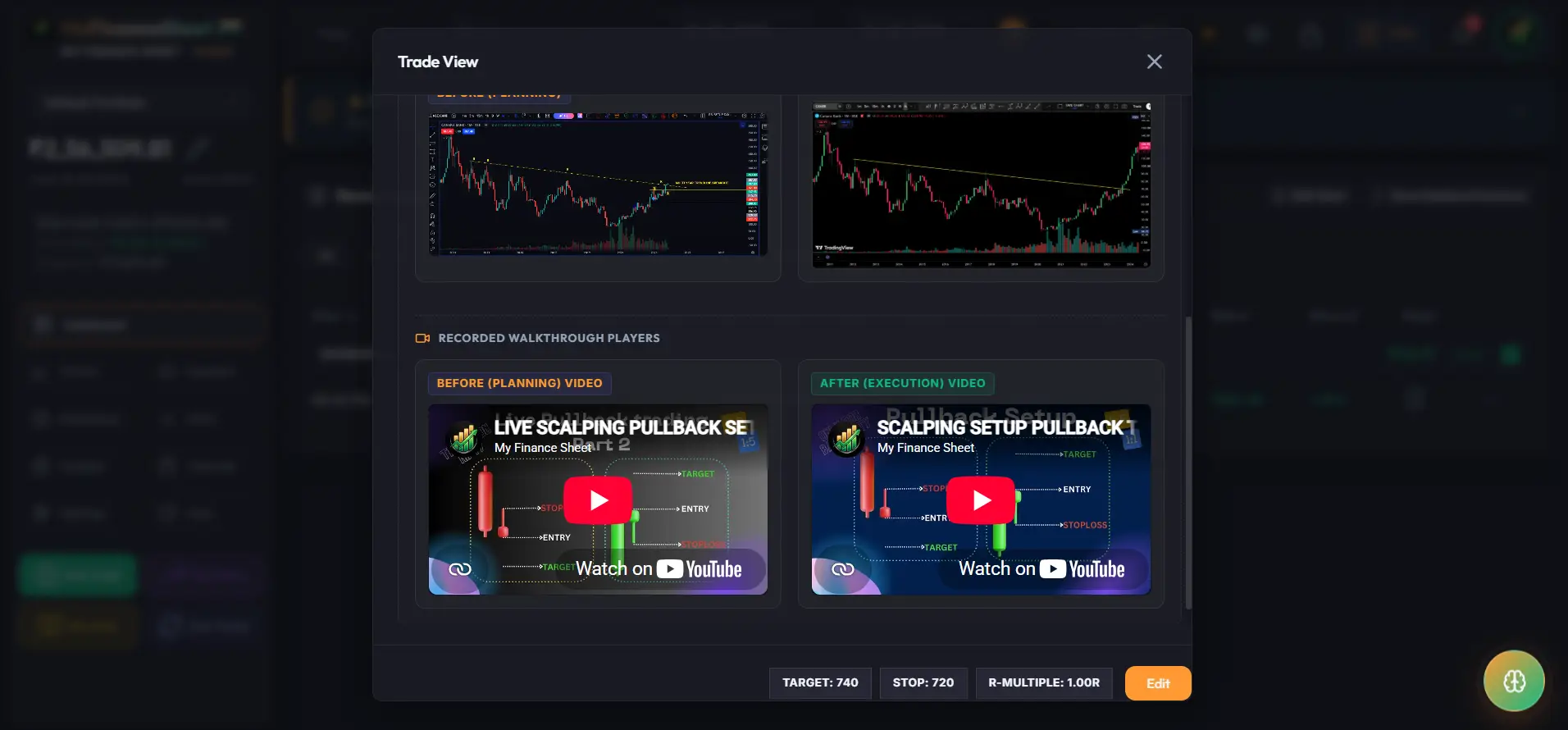
10. Trade View Video PlayersTrade View Video Players
Watch embedded Before & After video walkthrough players rendered directly inside the Trade View modal below your chart screenshots. Trade View modal me chart screenshots ke thik niche embedded Before & After video walkthrough players watch karein.
Risk Sizer & Order Log on ChartRisk Sizer aur Order Log on Chart
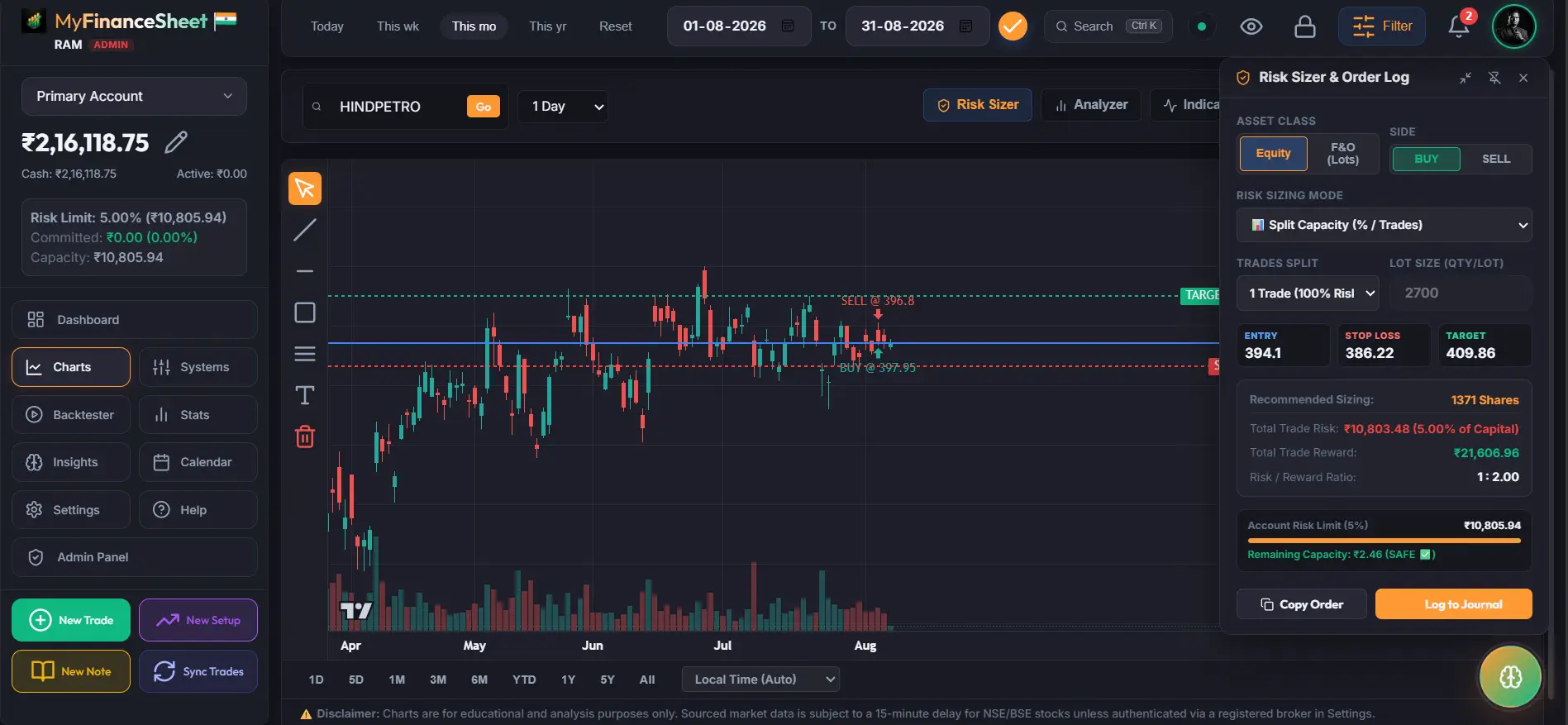
Calculate precise share & lot position sizes directly on TradingView charts based on account risk rules (% or fixed amount). Seamlessly transfer entry, stop-loss, target, and quantity metrics straight into your trading journal with 1-click prefilling. TradingView charts par risk rules (% ya fixed amount) ke according exact share & lot sizes calculate karein. 1-click prefilling se entry, stop-loss, target aur quantity direct trading journal me transfer karein.
- 4 Sizing Modes4 Sizing Modes: Split Capacity, Fixed Risk ₹, Fixed Risk %, Direct Quantity
- Asset SelectionAsset Selection: Default Equity mode with automatic F&O lot sizing detection
- Direct 1-Click "Log to Journal" prefilling with auto-dispatched input eventsDirect 1-Click "Log to Journal" trade window prefilling
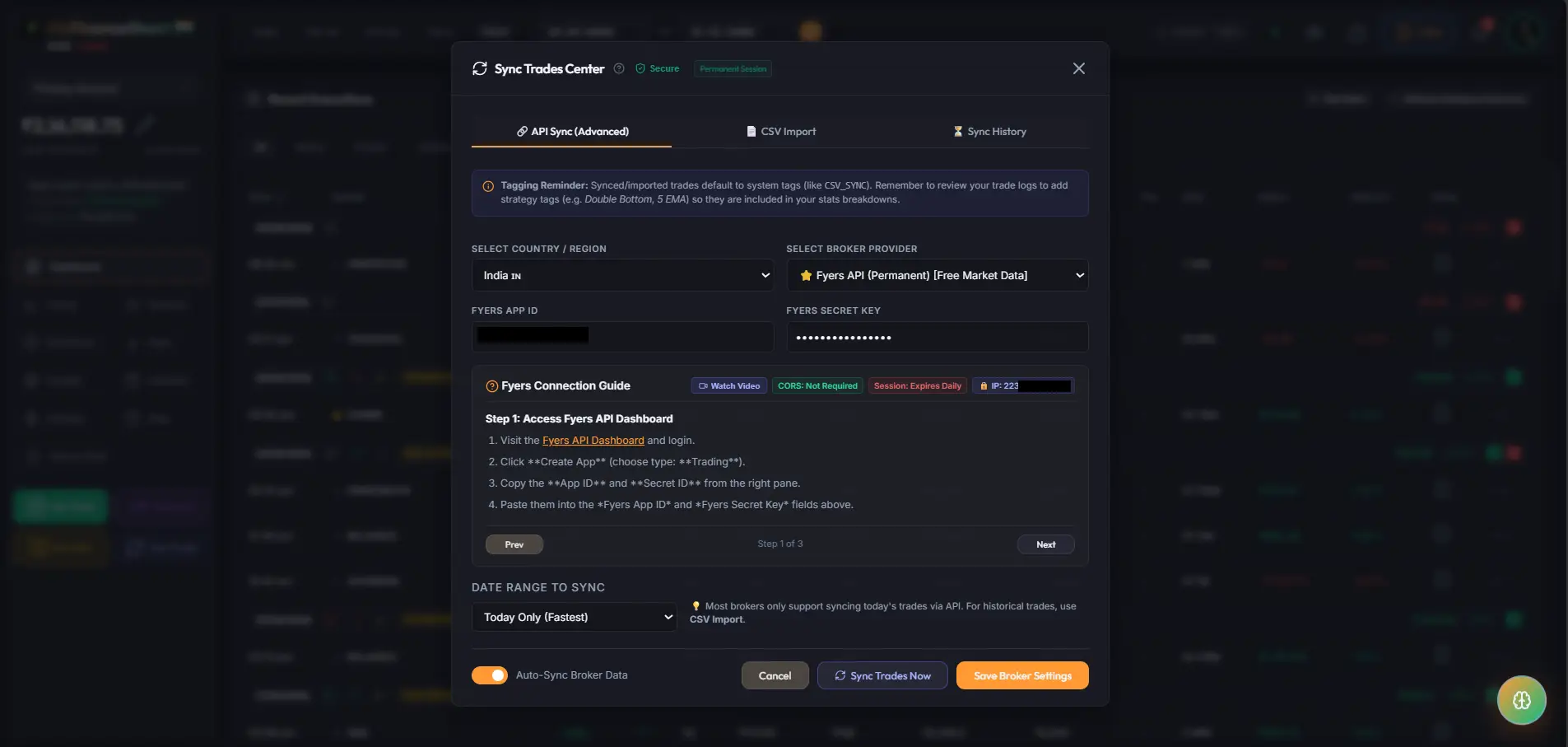
All Brokers API Sync CenterAll Brokers API Sync Center
Don't want to type manual trades? Connect your Indian & international broker accounts (Zerodha, Dhan, FYERS, Delta Exchange) using secure, read-only API credentials to automatically sync trades in seconds. Trades ko manually type nahi karna chahte? Apne broker accounts (Zerodha, Dhan, FYERS, Delta) connect karke secure APIs se automatic sync karein.
- Indian BrokersIndian Brokers: Zerodha, Dhan, FYERS, Angel One
- International & CryptoInternational & Crypto: Delta Exchange Futures & Options
- Read-only API authentication credentials with AES-256 encryptionRead-only API credentials with high-grade security
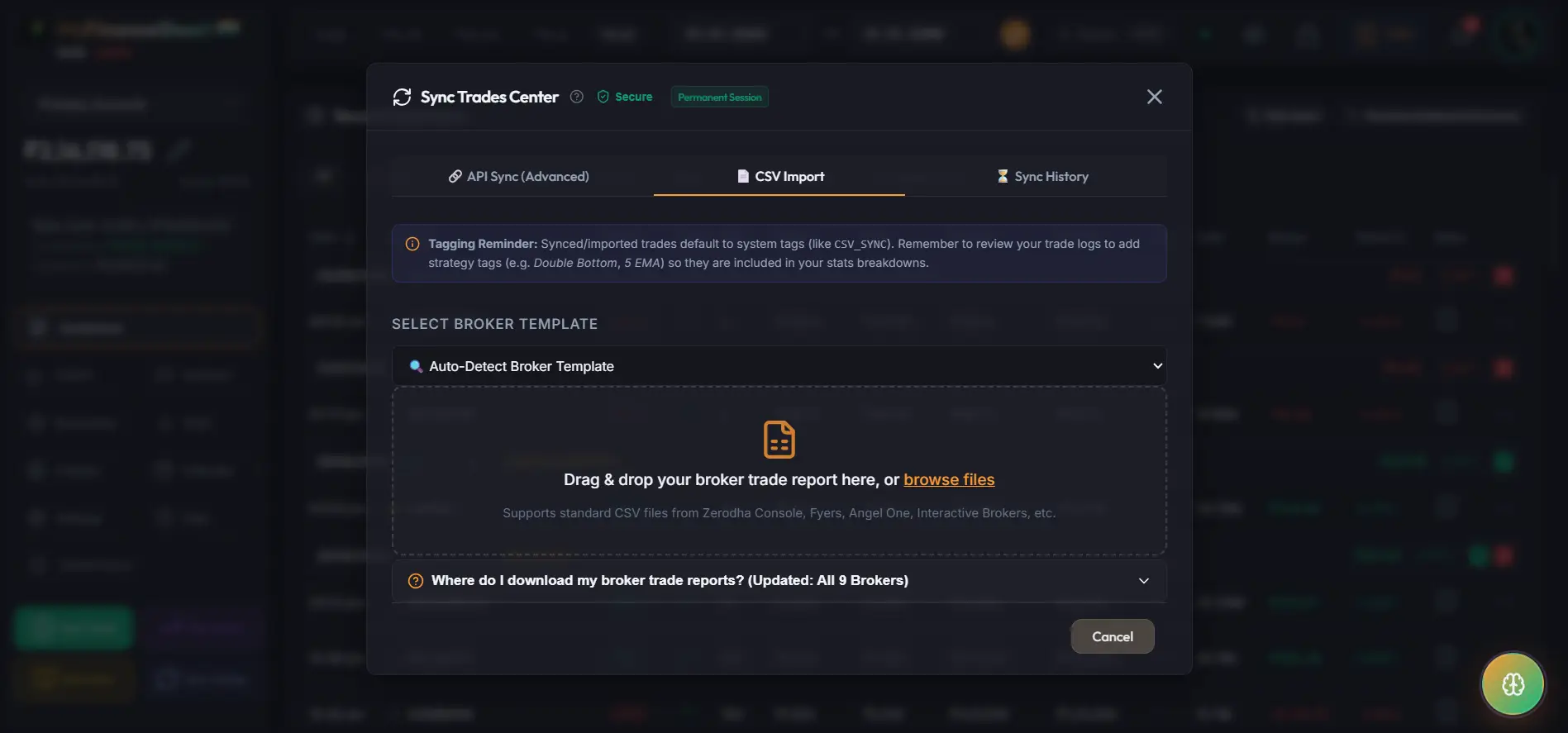
Bulk CSV Import & ReconciliationBulk CSV Import & Reconciliation
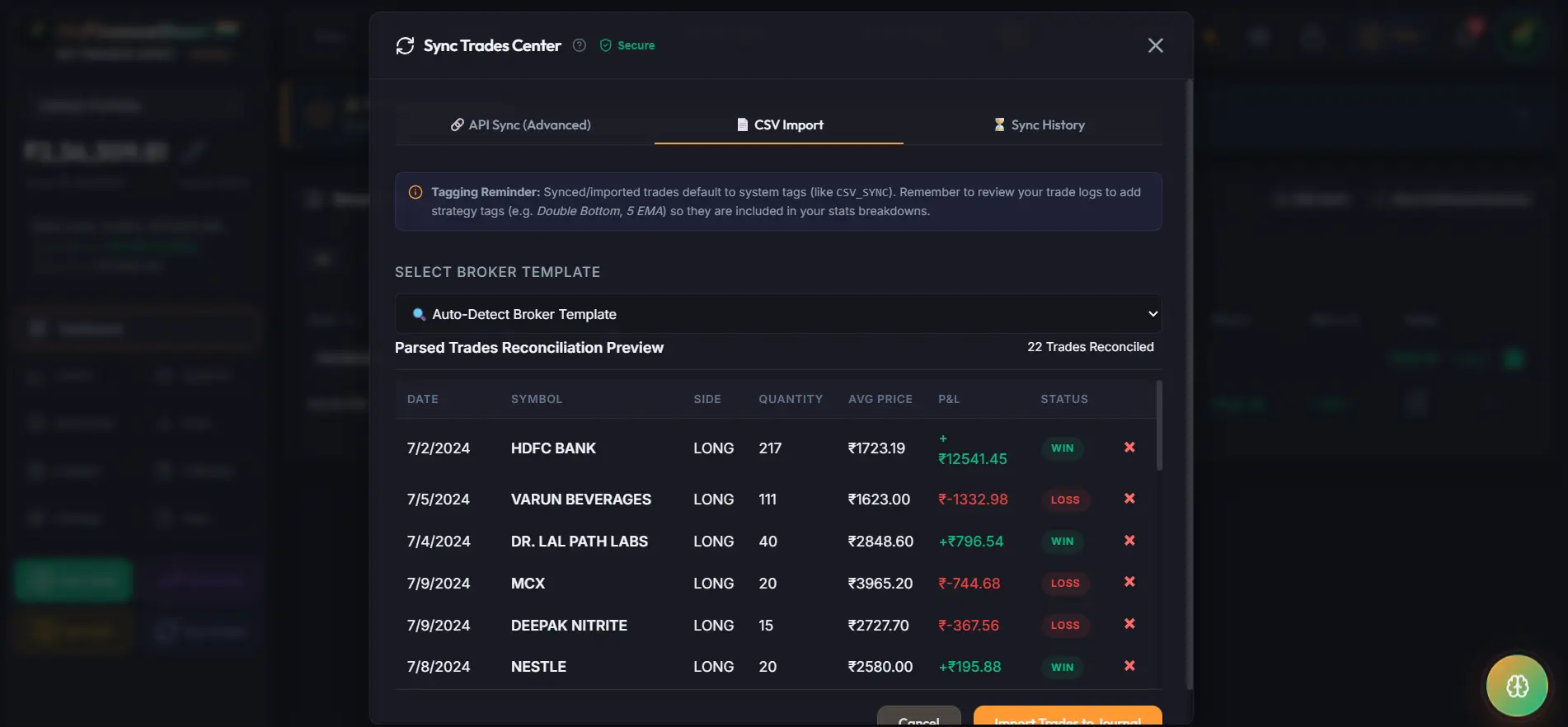
Upload raw CSV files directly from your computer to import hundreds of historical trades in one go. Our reconciliation engine automatically validates formatting and highlights missing columns before saving. Apne computer se raw CSV upload karke hundreds of historical trades import karein. Hamara reconciliation engine formatting validate karta hai.
- Drag & DropDrag & Drop: Instant raw spreadsheet file importInstant spreadsheet file drag-and-drop import
- Automated ValidationAutomated Validation: Reconciles trade executions against existing database logsTrade executions ko existing logs se reconcile karein
- Prevents duplicate trade entries automaticallyDuplicate trade entries ko automatically detect aur prevent karein
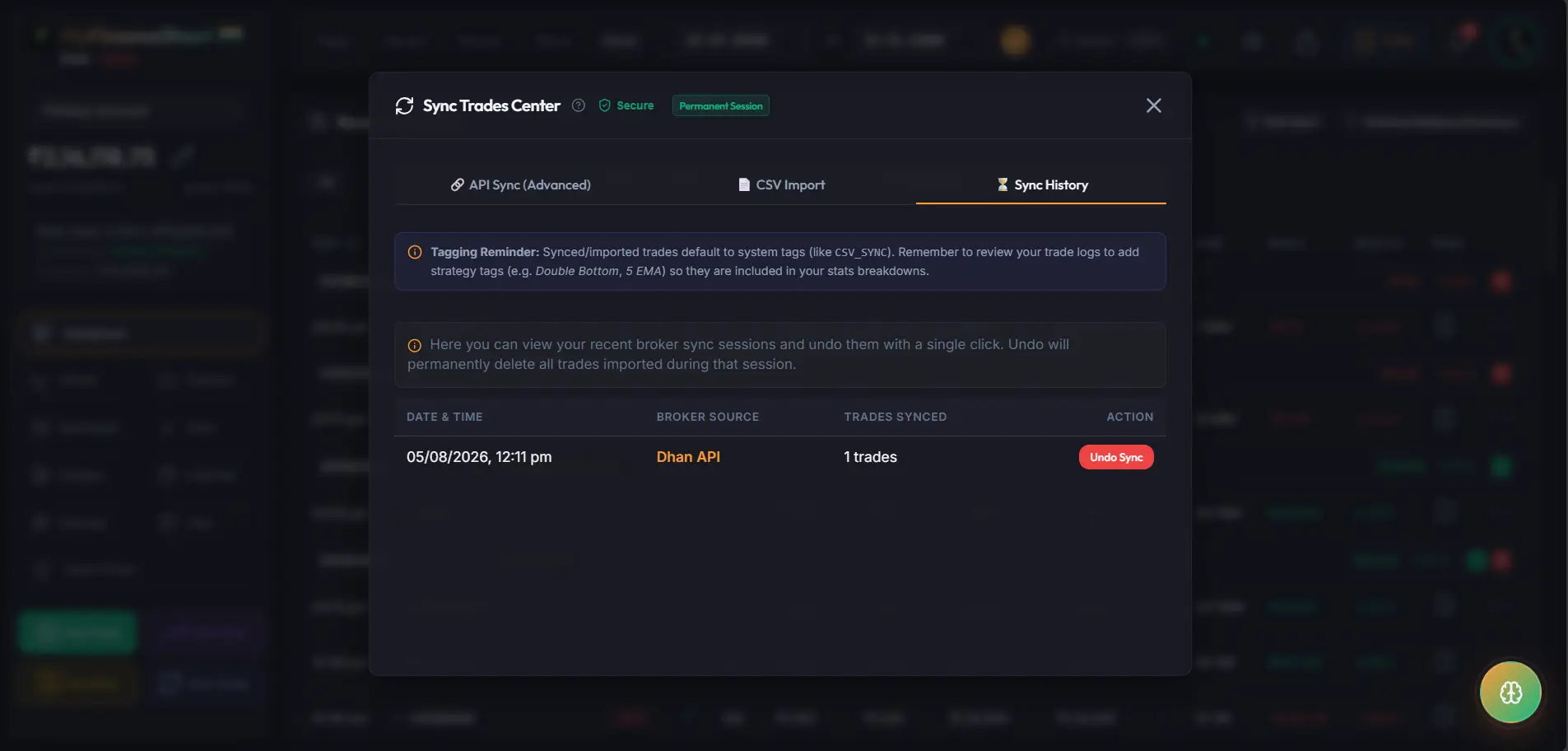
Sync History & Audit LogsSync History & Audit Logs
Maintain complete transparency over your automated data syncs. Review timestamped sync history records, inspect imported trade counts, verify IP whitelisting statuses, and troubleshoot broker connection events. Apne automated data syncs par full transparency rakhein. Sync history records, imported trade counts, aur broker connection events review karein.
- Timestamped LogsTimestamped Logs: Complete audit trail of every broker sync runHar broker sync run ka complete audit record
- Duplicate DetectionDuplicate Detection: Verifies new vs existing trades to avoid double countingDouble counting se bachne ke liye new vs existing trades verify karta hai
- Connection status diagnostics for Fyers, Zerodha, and Dhan APIsFyers, Zerodha aur Dhan APIs ke connection diagnostics