Trade Replay Simulator
Fix Emotional Leaks & Premature Exits
Trade Replay Simulator
Emotional Leaks Aur Premature Exits Ko Thik Karein
Do you exit profitable trades too early due to fear or anxiety? When our AI Agent detects emotional leaks related to premature exits in your trading logs, it automatically flags a Trade Replay session—letting you review the chart step-by-step to visualize the exact market continuation moves you left on the table. Kya aap darr ya anxiety ki wajah se profitable trades se jaldi exit ho jate hain? Jab hamara AI Agent aapke trading logs me premature exits se related emotional leaks detect karta hai, toh yeh automatically ek Trade Replay session flag karta hai—taaki aap chart ko step-by-step review karke un exact market continuation moves ko visualize kar sakein jo aapne chhod diye the.
Gamified Backtesting EngineGamified Backtesting Engine
Most backtesting requires reading dry code or scrolling manually. Our simulator transforms backtesting into an active exercise: Aam taur par backtesting boring data rows check karna hota hai. Hamara simulator isko active aur interesting game-style test practice banata hai:
Visual ExecutionVisual Execution
Simulate entries, trailing stops, and targets visually on the chart.Entries, exit trailing stoploss limits, aur target checks chart par visual simulation trace.
Margin SimulatorMargin Simulator
Manage account equity, margin requirements, and position leverage.Account size equity limits check aur exact target position leverage simulator control.
Adaptive SpeedAdaptive Speed
Adjust tick delivery speeds from tick-by-tick to hyper-fast intervals.Candles speed settings manually adjust karein tick-by-tick level se automatic rapid mode.
Stat SyncingStat Syncing
Auto-generate session statistics and log outcomes to your history.Simulated stats automatically generate checks aur accuracy metrics history report database.
Mental Replay: Conquering Premature ExitsMental Replay: Conquering Premature Exits
When the Dost AI Coach audits your execution journal and flags psychological leaks like *Premature Exits* or *Fear of Giving Back Profits*, it triggers this dashboard. Slide the divider to compare your planned setup (*Before*) with the completed trade log and AI behavioral feedback (*After*) to visualize how much continuation move you left behind. Jab Dost AI Coach journal records test warnings aur behavior alerts jaise *Premature Exits* detect karega, toh yeh tab show hoga. Slider shift karke check checks blueprint (*Before*) aur actual execution AI stats feedback (*After*) layout parameters.
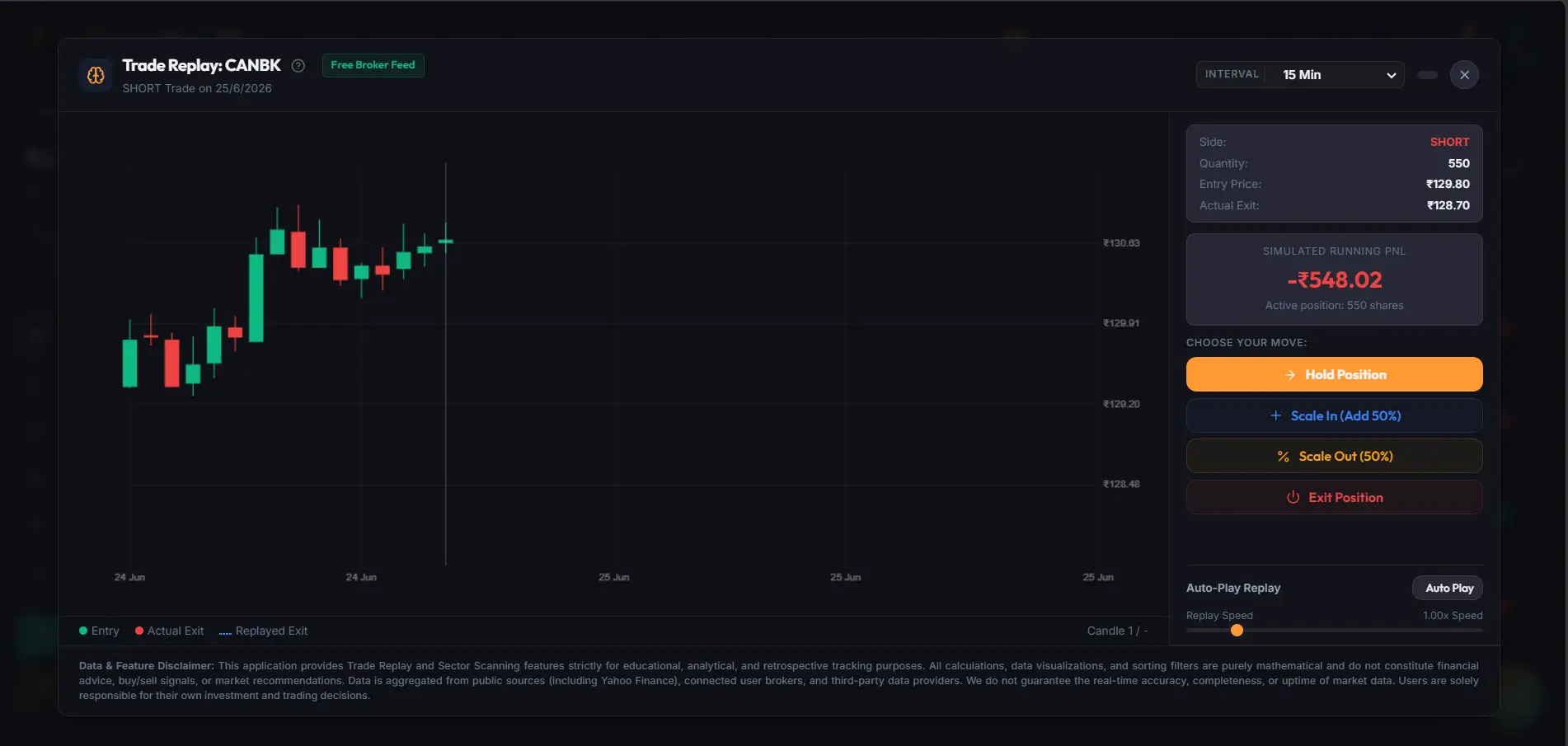 Before Trade: Sizing & Logic BlueprintBefore Trade: Sizing & Logic Blueprint
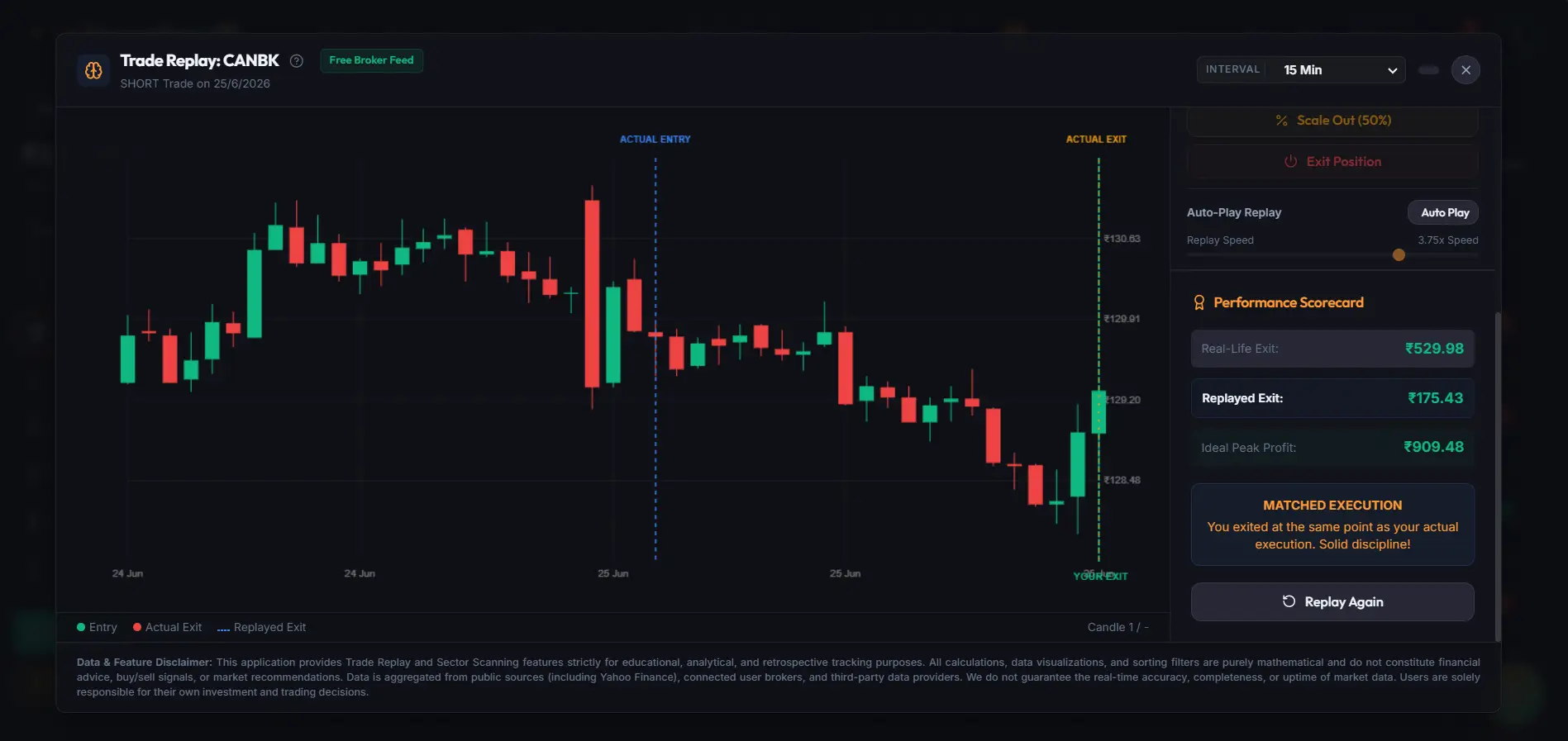 After Trade: AI Behavioral AuditAfter Trade: AI Behavioral Audit